DataVare OFT to MBOX Converter Expert

Total Ratings: 279 - Average Rating: 4.8 out of 5
  • Export single or multiple OFT files to MBOX in a matter of a few clicks
  • Automatically generate a preview of the uploaded files both horizontally and vertically
  • Support all MBOX Compatible email client like – Thunderbird, PocoMail, AppleMail, etc.
  • Enable conversion of OFT emails with meta properties and attachments
  • Conversion of OFT files by Folder and File mode.
  • Filtration of Outlook OFT files by date range.
  • Import all OFT files into a single MBOX file
  • Create separate MBOX files according to folders
  • Support naming convention to organize files
  • Designed for both individuals and businesses

Key Features of OFT to MBOX Migration Tool

features

Quick and Effortless Migration

The OFT conversion is a pro program that makes the conversion of OFT to MBOX quick and effortless by wrapping up the entire process in five easy steps. No external tool installation is necessary. At the same time, it doesn’t need technical help even if you are not so technically compatible.
features

Batch Migration of OFT Files

If you want batch conversion of OFT to MBOX, this is an ideal program. The utility exports single and unlimited OFT files simultaneously. Batch conversion makes the hassle of migration effortless by saving your time and effort.

features

Create a Preview of Uploaded OFTs

You can consider it a perk because without installation of Outlook, you can read OFT files. The tool displays files and items of each OFT file. There is a separate pane to read each item content. This feature prevents conversion of unnecessary OFT files.

features

Save OFT in a Single MBOX File

Organization of data after conversion is easy with this advanced application. It allows you to save all OFT files in a single MBOX file. This feature makes data organization easy by avoiding data clutter issue. You can view items of entire OFT files in a single MBOX file.

features

Save Each OFT File Separately

It has a command to save each OFT file separately if you have selected to export more than one OFT file simultaneously. This feature encourages easy file organization after conversion.

features

Advanced File Filtration Features

The utility offers various types of file filtration feature. It has “File and Folder” mode to select and export specific OFT files. It supports filtration by date range. Moreover, it removes duplicate items.

features

Suitable for Everyone (individuals and businesses)

This reliable application is suitable for everyone including individuals and businesses of any size including large, medium, and small firms seeking accurate and fast conversion. The app is safe to install and run.

Frequently Asked Questions

The tool synchronizes the conversion process in five steps.
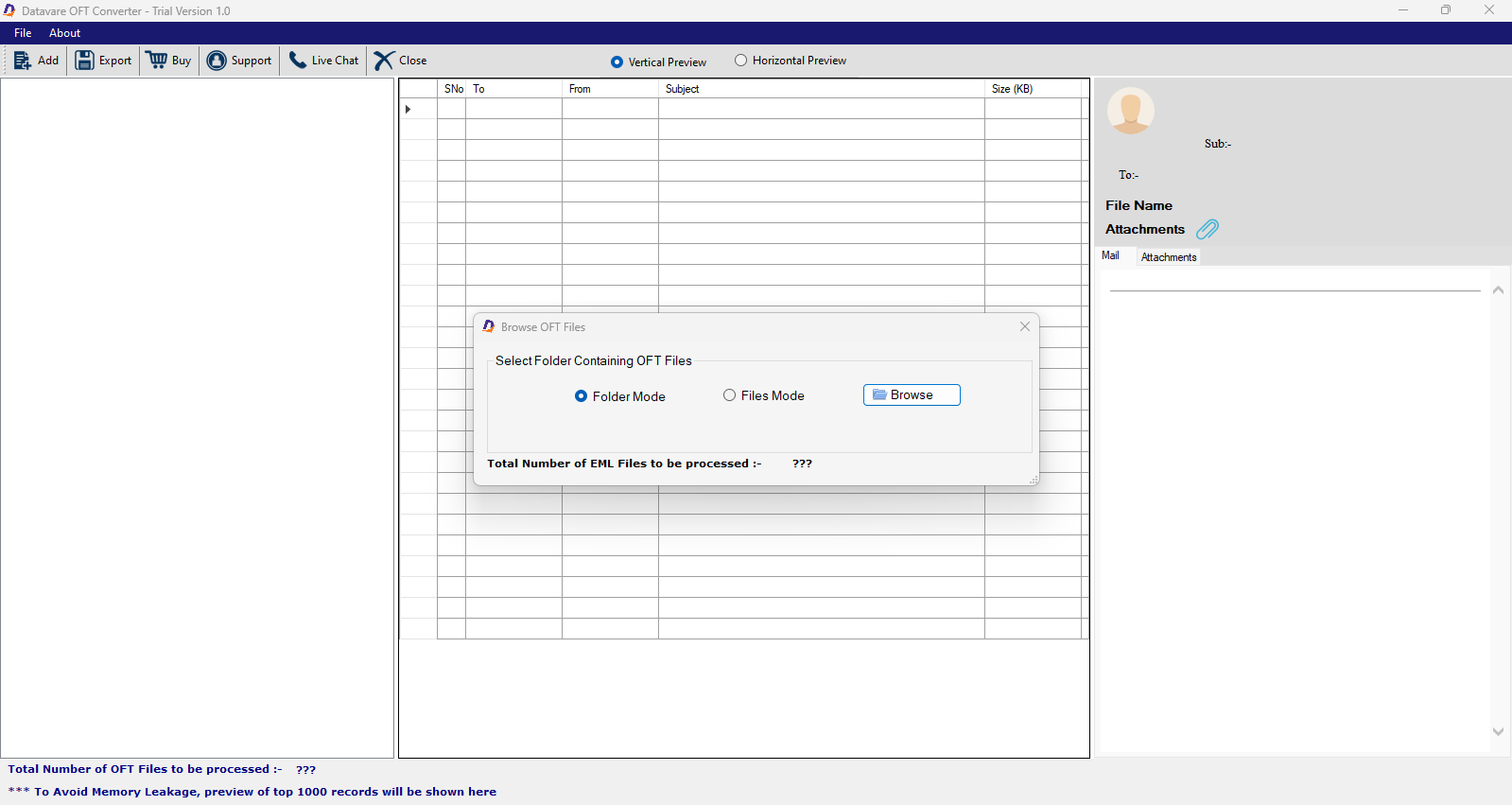
  • Step 1-After launching the app, choose “File or Folder” mode and click “Browse” to upload the desired OFT files.
  • Step 2- In the preview pane, taka a quick look at the data
  • Step 3- In the export window, select “Export to MBOX” and then choose “import of OFT files into single MBOX file” or “create separate MBOX according folder”
  • Step 4: Choose the date range (optional feature), select the desired naming convention, check the duplicate content option (optional feature), then press “Browse” to select a local folder to save the exported data.
  • Step 5: Press “Convert Now” button to facilitate the conversion task.
No, only healthy OFT files can export to MBOX.
This advanced application supports conversion of unlimited OFT files. The tool has not set any specific limit for batch conversion. Carefully choose data.
The naming convention feature allows you to create a unique name of the newly MBOX files. It offers multiple options to select the naming format of OFT files.
No, you don’t need prior installation of MS Outlook for conversion. The tool exports orphaned OFT files.
It doesn’t need prior installation of any MBOX-support tool, making it an independent conversion app. After conversion, you can access the new MBOX files on your system.
It is valid for lifetime. You can use it as long as you desire, regardless of the version you are using. We keep you informed if the tool is updated to renew your license if you want.

Software Specifications

System Requirements

Processor Any Pentium Class
Operating System Windows 11, 10, 8.1, 8, 7 & Other
Memory 512 MB Minimum
Hard Disk 100 MB of free space for software installation

Software Delivery

Electronic Via Email
Minutes 15

Interface Available

Language Supported English
Support Option Emails, Chat & Skype

Software Screenshots

OFT to MBOX Converter Expert software interface screenshot showing conversion process
MSG to EML Converter Expert Interface

What Our Clients Say

Real feedback from satisfied customers worldwide

his is one of the best choices for companies looking for fast and accurate conversion. I have rated this app 5 Star for its effortless migration.

Considering the purpose of safe conversion, I chose this app. I must say that anyone seeking for data safety during migration can select it.