DataVare OFT to HTML Converter Expert

Total Ratings: 287 - Average Rating: 4.6 out of 5
  • Design to export multiple OFT files to HTML file extension simultaneously
  • Wrap up the entire conversion process in 5 easy steps
  • An independent application to move OFT data
  • Allow conversion of OFT files by date range.
  • Duplicate email identification
  • Save output with or without header
  • Provide custom names to the converted data
  • Organize the converted data in the designated local drive
  • Design for personal and professional purposes

Key Features of OFT to HTML Migration Tool

features

Effortless Conversion of OFT to HTML

This is a highly interactive or self-explanatory application that you can install and run on your system. The entire conversion process requires a few clicks (around 5 easy steps) to provide a hassle-free conversion experience. A novice can run this program without technical assistance.
features

Support Batch Migration

This application offers batch conversion, which provides the flexibility to export single and unlimited OFT files at a time. For businesses, the batch migration feature saves them time and effort and speeds up migration.

features

Display a Preview of Uploaded OFT Files

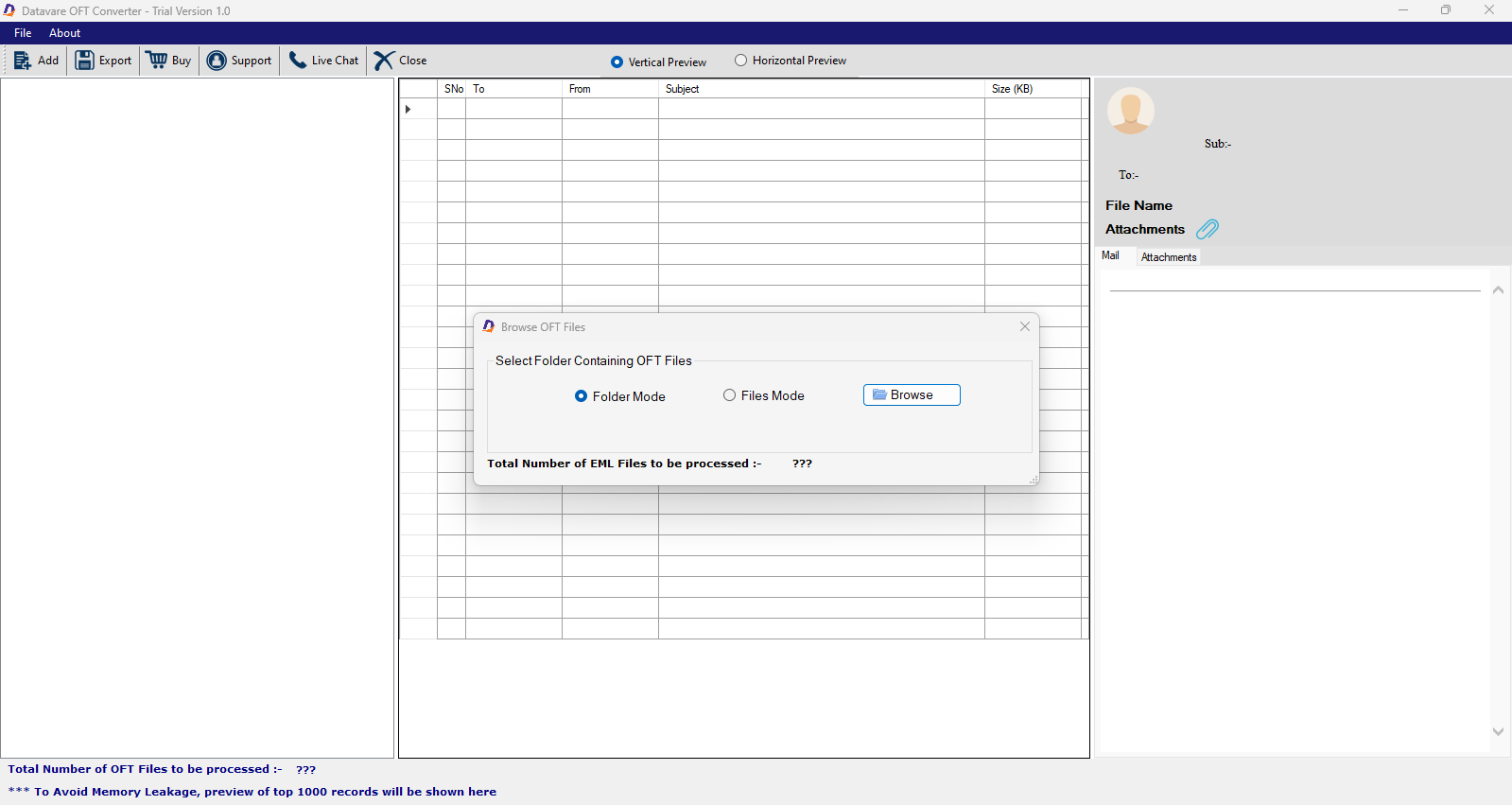
It displays uploaded OFT files in its preview pane, featuring the file name and items held by each file. Moreover, you can access the details of each item to review before conversion. This feature gives control by preventing the migration of unnecessary files.

features

High-Quality Filtration Support

The utility offers “File and Folder” modes for filtration of specific OFT files. It also allows for the flexibility of filtering OFT files by date range. Enter the “To and From” date to export only specific items of OFT files.

features

Retain Structure & Accuracy

During migration, the utility retains the structure and accuracy of OFT items. Each email will export with its template or structure intact. If emails hold attachments, the tool exports all attachments to provide accurate migration.

features

An Independent Application

This is an independent app that you can download on your system. Exporting data doesn’t require the prior installation of MS Outlook or any HTML-supporting tool. This is a game-changing feature for exporting archived and orphaned OFT files.

features

Safe to Download and Run

It is safe to download and free from bugs. Because it is lightweight, you can run this app on your system without compromising its speed. During the migration process, the system works fine, allowing you to focus on other duties.

Frequently Asked Questions

OFT allows you to create attractive email templates and use them multiple times. You don't need to use other email designing platforms like Canva.
The file size can vary. It depends on the template design, the elements you have added (like images and charts), and whether the email is with or without attachments. Overall, the file size can be in KB or MB. .
This is an advanced OFT Converter. It permits you to upload unlimited OFT files to export them to HTML. So, there is no such limit for batch migration.
Yes, it has an option to select to remove duplicate items. The tool scans a duplicate email by its properties and other parameters.
You can give the new HTML file a unique name because the utility has a naming convention feature that allows you to set the name according to your choice.
The tool allows you to exclude attachments if you don't want to. To do this, uncheck the "Save Attachments" option during migration.
Every DataVare application offers a free trial. The free version is an exact copy of the paid version, so you can evaluate the application's performance before purchasing the licensed version.
We offer this app for individuals and organizations. It is a suitable program for large, medium, and small organizations.

Software Specifications

System Requirements

Processor Any Pentium Class
Operating System Windows 11, 10, 8.1, 8, 7 & Other
Memory 512 MB Minimum
Hard Disk 100 MB of free space for software installation

Software Delivery

Electronic Via Email
Minutes 15

Interface Available

Language Supported English
Support Option Emails, Chat & Skype

Software Screenshots

OFT to HTML   Converter Expert software interface screenshot showing conversion process
MSG to EML Converter Expert Interface

What Clients Say

I never thought it would be so easy to export OFT emails with attachments. This application has given me an excellent opportunity to migrate OFT files to HTML without losing quality.

Our decision to use this application has given me peace of mind because of its smooth performance, and, most importantly, it is safe to download.