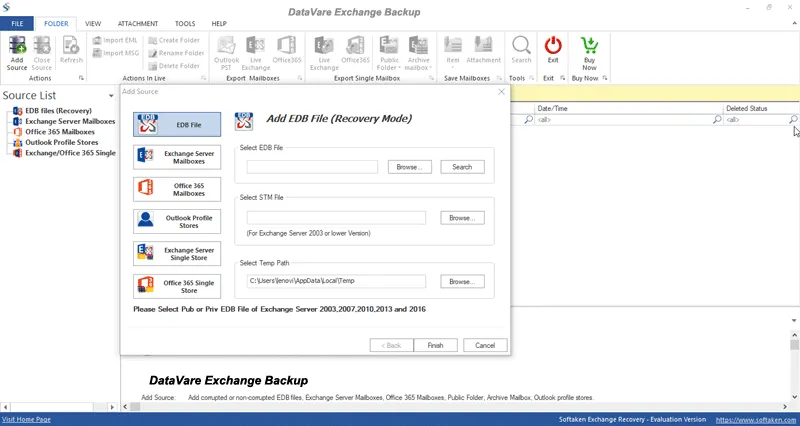
Datavare Exchange Backup Tool

Total Ratings: 289 - Average Rating: 4.7 out of 5
  • Provide complete or selective mailboxes backup from Exchange Server
  • Generate log report showing the status of backup
  • Save backup of Exchange mailboxes to PST file
  • Backup multiple mailboxes without size limitations
  • No Outlook requirement to backup Exchange Server to PST
  • Allows timely and job-based backup
  • Permit full and incremental backup facilitys
  • Open PST file to all versions of MS Outlook

Important Features of Exchange Backup Tool

features

Save backup in PST file

The software saves backup of Exchange Server mailboxes into PST file that can be readable on all versions of MS Outlook like 2019, 2016, 2013, 2010, etc. Users can easily access Exchange mailboxes any time with backup in PST file.
features

Backup archive, user mailbox, and public folder

The software takes backup of archive mailbox, user mailbox and public folder. Backup of Exchange Server mailboxes helps users to access the data when users are unable to access Exchange Server, whatever be the circumstances.

features

Full and Incremental Backup

Full and incremental backup option is provided by the software. If in any case, the backup interrupts and users again start it then the software takes backup of only the increased data of that period and remaining data. Hence, prevents duplicity of data.

features

Create Log reports

Datavare Exchange Backup Tool provides a complete report of the backup process. It includes information about the status, folder name, filtered items, item count, etc. Users can save this report for future references.

features

Offer Timely and Job-based backup

Users are allowed to set time for backup like daily, weekly, monthly, etc. This will periodically backup Exchange mailboxes. Apart from this, users need to create a connection with Exchange Server only once for taking backup.

features

Filter Items Backup

Users can use filter options to create backup of Exchange database. Based on Message Class and Date Range filters, users can backup only desired data and exclude unwanted data of Exchange Server from backup process.

Frequently Asked Questions

No, the software creates backup of Exchange mailboxes without interrupting Exchange Server services.

Yes, Datavare Exchange Server Backup Tool allows use of filters by which users can create backup of selected files & folders.

Kindly mail us at [email protected] or use our live chat facility to ask your queries.

Yes, our tool allows timely backup. Users can simply choose the option like weekly, monthly, or daily for Exchange mailboxes backup.

Software Specifications

System Requirements

Processor Any Pentium Class
Operating System Windows 11, 10, 8.1, 8, 7 & Other
Memory 512 MB Minimum
Hard Disk 100 MB of free space for software installation

Software Delivery

Electronic Via Email
Minutes 15

Interface Available

Language Supported English
Support Option Emails, Chat & Skype

Software Screenshots

Address Book Converter Expert software interface screenshot showing conversion process
Address Book Converter Expert Interface

What Our Clients Say

Real feedback from satisfied customers worldwide

The tool deserves 10 out of 10 points and I am giving these points because of its working speed and simplicity to handle.

I liked the full and incremental backup feature the most about this software. It helped me to complete Exchange Server mailboxes backup task in a few minutes.