
DataVare Thunderbird Converter - Professional email conversion tool

DataVare Thunderbird Converter

Total Ratings: 532 - Average Rating: 4.7 out of 5
  • It converts multiple files or an entire folder in a single operation, which reduces time.
  • After conversion, the original folder hierarchy will remain the same as it was when imported into the new tool.
  • Every part of each email (such as the metadata, attachments, inline images, formatting information, and properties will remain intact during conversion.
  • With this date range filter, you can export just those emails that fall between two specified dates, which will help with targeted email migrations or organizing them.
  • You can establish multiple naming conventions for the output file names of the emails you export to facilitate easier retrieval and cleaner organization of the exported emails.
  • As emails are being converted and errors occur, the tool will create a detailed error log indicating what problems were encountered to assist you in swift troubleshooting of errors.
  • Works with all modern Windows Operating Systems, including Windows 11, 10, 8.1, 8, 7, Vista, and XP.
  • This tool will remove all the issues of corruption or data loss.

Key Features of DataVare Thunderbird Converter

The Thunderbird File into Multiple Types feature icon

The Thunderbird File into Multiple Types

Thunderbird files can be converted to the PST, MBOX, NSF, EML, EMLX, MSG, HTML, MHTML, PDF, and IMAP formats with complete accuracy. All associated email properties, including all associated metadata and attachments, can be retained throughout the entire process of conversion.

Batch-Migration for Bulk Conversions feature icon

Batch-Migration for Bulk Conversions

Bulk Conversion of multiple Thunderbird files in one session is a breeze. The Batch Migration feature can speed up the conversion process and simplify large-scale conversion tasks.

Compatible with All Versions of Windows feature icon

Compatible with All Versions of Windows

This product can be run on every version of Windows, so it will work without issues on any Windows environment, as well as on older systems.

Folder Hierarchies Remain Intact feature icon

Folder Hierarchies Remain Intact

Retaining the original hierarchy from the source Thunderbird folder structure will allow users to keep their existing folder and sub-folder structure during their conversions.

Date Range Filter feature icon

Date Range Filter

The Date Filter will allow users to select certain emails within a specified date range. A perfect option for selectivity in Migration and Compliance Workflows, as well as Time-Based/Abstractions of Data.

Auto-Generated Error Log feature icon

Auto-Generated Error Log

An auto-generated detailed Error Log will be created during the conversion process to assist in identifying and troubleshooting issues that may occur throughout conversion.

Frequently Asked Questions

Yes, it supports all the versions of Mozilla Thunderbird
Yes, this tool preserves all the formatting and structure after the conversion, also
Yes, you can convert multiple sets of data at the same time
Yes, it protects all the versions of Windows

Software Specifications

System Requirements

Processor Any Pentium Class
Operating System Windows 11, 10, 8.1, 8, 7 & Other
Memory 512 MB Minimum
Hard Disk 100 MB of free space for software installation

Software Delivery

Electronic Via Email
Minutes 15

Interface Available

Language Supported English
Support Option Emails, Chat & Skype

Software Screenshots

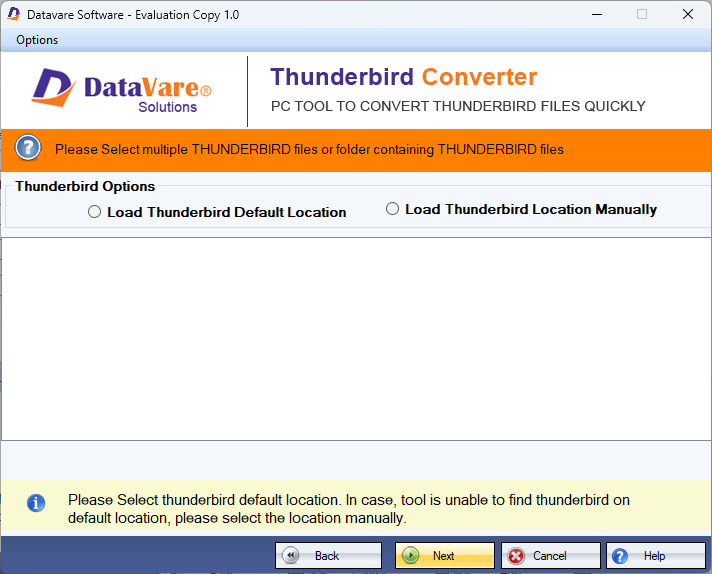
DataVare Thunderbird Converter software interface screenshot showing conversion process
DataVare Thunderbird Converter Interface

What Our Clients Say

Real feedback from satisfied customers worldwide

I did a batch conversion, and it was so easy. Everything was converted in one click. It was a huge time saver

It maintains the same folder structure as Thunderbird. No emails were lost during the transfer; all data is secure. Totally worth it