MSG to MBOX Converter

Total Ratings: 393 - Average Rating: 4.8 out of 5
  • Support 4 easy steps for migration
  • Provide unlimited conversion with lifetime valid licence
  • Bulk migration assistance to migrate data at fast speed
  • Advanced filter button to select desirable MSG files for migration
  • Shows preview of the selected MSG files
  • Save converted data locally
  • Export MSG files created in any Outlook versions including 2003, 2007, 2010, 2013, 2016, 2019, and 2021
  • A Windows utility, supports Wins 11/10/8/7/XP/Vista

Key Features of MSG to MBOX Converter

features

Export Only MSG to MBOX

The utility has been designed to scan only MSG files of Outlook to convert into MBOX. It can easily scan MSG files saved in Outlook 2003, 2007, 2010, 2013, 2016, 2019, and 2021. The converted data can be accessed to all MBOX supportive email platform.
features

Convert Targeted Databases

The foremost step you need to proceed is to choose the particular MSG file that you like to export to MBOX. Browse locally saved folders of any drive to access the particular MSG file for migration.

features

Show Preview

As you select the targeted MSG file for migration, the utility scans it immediately and displays preview of the file in its wizard. Before exporting MSG to MBOX, you can be assured that the selected MSG file is the one that you want to export.

features

Save to New or Existed Folder

The output location is set before you hit the conversion button. The utility saves the exported data to local folders. You can create a new MBOX folder or use an existed MBOX folder to save the resultants.

features

Accurate Results

Be assured about the conversion results. The converter gives accurate results regardless of the number of times you use it. Every time, the data quality is intact. No file gets damage or corruption. MSG to MBOX is achieved safely.

Frequently Asked Questions

All the latest Outlook versions are supported by the app including 2003 to the latest 2021.

Yes you can. It supports all the latest versions of Windows.

Only healthy MSG files are exported by the app.

The license of the program is valid for the time period you want to use it.

Software Specifications

System Requirements

Processor Any Pentium Class
Operating System Windows 11, 10, 8.1, 8, 7 & Other
Memory 512 MB Minimum
Hard Disk 100 MB of free space for software installation

Software Delivery

Electronic Via Email
Minutes 15

Interface Available

Language Supported English
Support Option Emails, Chat & Skype

Software Screenshots

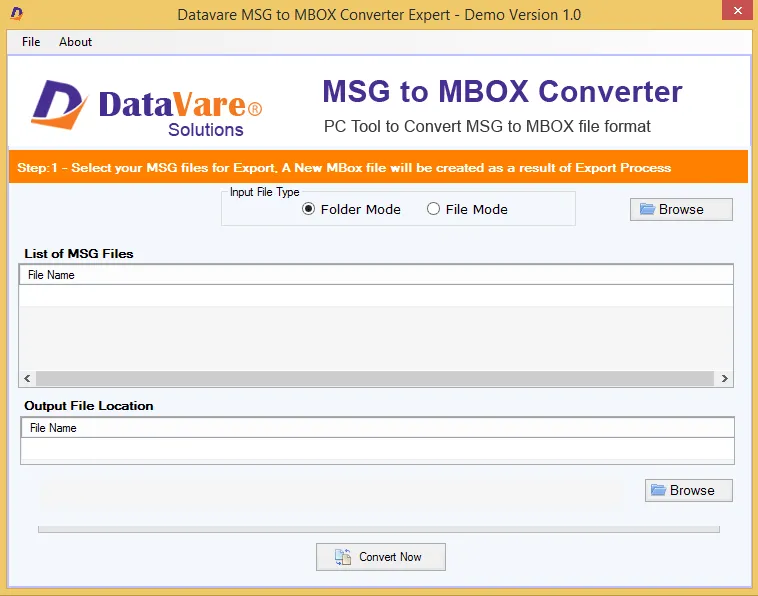
MSG to MBOX Converter Expert software interface screenshot showing conversion process
MSG to MBOX Converter Expert Interface

What Our Clients Say

Real feedback from satisfied customers worldwide

In terms of appearance, the tool seems so normal. But you wouldn't imagine how fast it converts data. I managed to get out from data clutter and exported over 4265 MSG files to MBOX in just few minutes.

This app is great. Our organization has just switched from Outlook to Apple Mail. Around 3000 archived MSG files are required to convert. Out of which we managed to export 500+ files in just 3 days. The credit goes to MSG to MBOX Conversion solution.