
DataVare TGZ Converter - Professional email conversion tool

DataVare TGZ Converter

Total Ratings: 542 - Average Rating: 4.7 out of 5
  • It supports multiple email clients like Mozilla Thunderbird, Apple Mail / Mac Mail, and more.
  • It supports all the versions of Windows, like 11, 10, 8, 8.1, and 7
  • Batch migration for multiple files is also available
  • Manage all the data safely after the conversion
  • It has a filter option in which the user can convert emails within a specific data range
  • Its conventional name for email files
  • Create an error log for tracking conversion issues
  • It converts all the data within just 1 click.

Key Features of DataVare TGZ Converter

Multiple format conversion feature icon

Convert to Numerous Formats

With ease, convert Zimbra TGZ files to multiple file formats including PST, MBOX, NSF, EML, EMLX, MSG, HTML, MHTML, PDF, and IMAP with the Zimbra TGZ to PST backup tool. The application guarantees a seamless transition of data while retaining all email attributes (and associated metadata) as well as maintaining folder integrity during the conversion process.

Batch migration feature icon

Batch Conversion Support

With advanced batch conversion features, you can save valuable time and effort by being able to easily import and convert multiple TGZ files or complete folders from multiple sources all at once! This significantly reduces the amount of time spent performing manual imports and allows for much larger-scale migration processes, such that they typically require far less manpower to complete.

Folder hierarchy feature icon

Folder Structure Retained

Retaining the original folder structure of mailboxes is critical. The Zimbra backup tool enables the creation of an exact duplicate of the original mailbox structures as they were stored in the original TGZ file. Therefore, you will have an organized and functioning mailbox layout after performing a successful Zimbra backup.

Date filter feature icon

Date Filter

The ability to use date range filters to restrict your Zimbra backup to a specific set of emails helps you maximize the efficiency of using a custom date filter. You can migrate only the emails that exist within a defined date range and have them in chronological order once they are migrated.

Name convention feature icon

Mail Naming Convention

Using a naming convention allows you to create a system to make sure the files exported from your Zimbra backup tool are legible and well-organized. You may set up your naming conventions for Zimbra based on several established naming patterns or develop your own to enable you to produce well-organized file names for your converted emails.

Error log feature icon

Automatic Error Log Generation

Generate automated error logs to provide transparency to and better manage the conversion process. The software automatically generates detailed logs whenever errors are encountered, allowing for the easy identification of trouble areas, analysis of the error(s), and quick troubleshooting.

Frequently Asked Questions

It supports multiple file formats like PST, EML, MSG, EMLX, and more.
Yes, it protects data during and after the conversion.
Yes, users can filter the data according to the requirement
Yes, absolutely, it converts data in bulk without creating any mess with the data.

Software Specifications

System Requirements

Processor Any Pentium Class
Operating System Windows 11, 10, 8.1, 8, 7 & Other
Memory 512 MB Minimum
Hard Disk 100 MB of free space for software installation

Software Delivery

Electronic Via Email
Minutes 15

Interface Available

Language Supported English
Support Option Emails, Chat & Skype

Software Screenshots

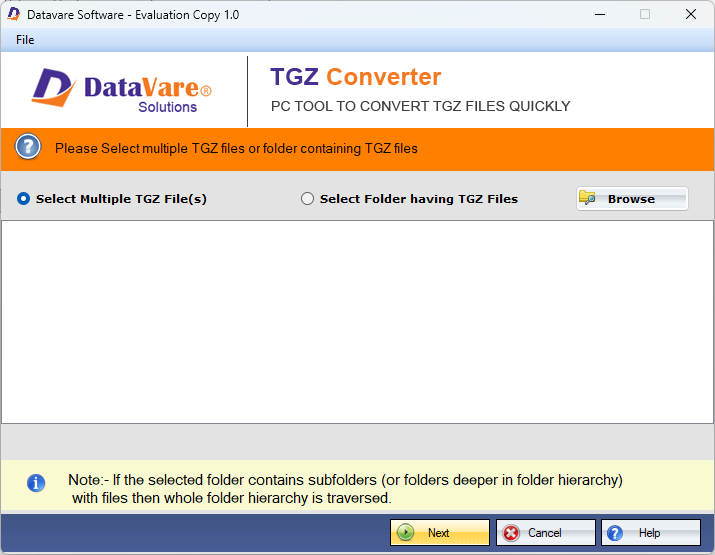
DataVare TGZ Converter software interface screenshot showing conversion process
DataVare TGZ Converter Interface

What Our Clients Say

Real feedback from satisfied customers worldwide

This is one of the best applications that has lots of features. It exports my TGZ data without harming the structure. It also properly maintains the folder hierarchy. After using is application, you don't need to hassle with conversion.

I found software that is reliable and smooth because it transfers all my TGZ data into multiple formats with just one click. Even a non-technical user like me can easily operate this application