Supports Multiple Formats Conversion
For a wide range of platform compatibility, you can quickly convert your EML/EMLX file to numerous formats like IMAP, PDF, MHTML, MBOX, HTML, MSG, TGZ, PST, and NSF formats, hassle-free with full data integrity.

EML and EMLX are common email formats for many different email clients including Apple Mail and Thunderbird. The EML Converter of DataVare allows users to easily convert EML and EMLX files into several formats including PST, MSG, MBOX, HTML, PDF, NSF, TGZ, and IMAP. The EML converter also supports batch migrations, preserves folder hierarchies, lets users filter based on dates and provides error logging features. This one software is a complete solution for your email format conversion needs.
For a wide range of platform compatibility, you can quickly convert your EML/EMLX file to numerous formats like IMAP, PDF, MHTML, MBOX, HTML, MSG, TGZ, PST, and NSF formats, hassle-free with full data integrity.
To easily switch between other email clients and Apple Mail, you can use this tool to move your EML data to EMLX and EMLX to EML format without any trouble.
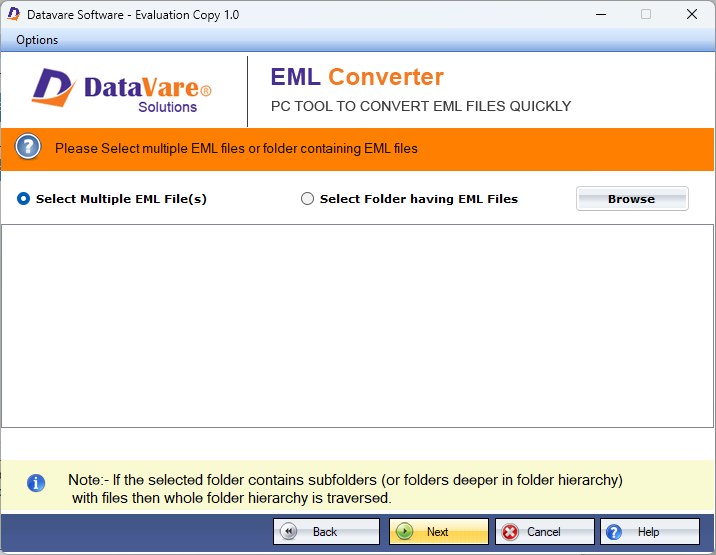
This advanced tool can process multiple EML/EMLX files without any file size limitation, all in one go. It offers you to select file and folder mode to upload your file for an efficient workflow.
During the conversion process,all your original folder structure, hierarchy, properties and attachments are preserved without any modification, which helps you to easily spot your file after the conversion.
For targeted and systematic conversion of the files, this app offers a date range filter option, in which you have to add the From and To, and only the specific files will be processed that come within the selected range.
Through this option, you can keep a record of the problematic file and its information, which might be the reason for the issue, and track it for better and accurate results by monitoring the error log.
Real feedback from satisfied customers worldwide
The app has an outstanding feature, like a preview option, data range, and file or folder mode, that helped me get an exact output that I was hoping for within a fraction of a minute without altering my original file content.
I had thousands of EML emails to convert, and manually it would have taken me days to finish the conversion, so I tried this application, then, as it was expected, this tool handles all my bulky .eml files in one go without taking too much time. Such a great tool, I totally recommend this one!
This is an amazing independent utility as you don't need to install any extra software for the conversion process, it handles everything alone, and I personally really appreciate the previews and data range filter option as one helps to examine the file that has been uploaded and visually examine it, and the other helps you with targeted conversion, such a thoughtful feature. Thank you, DataVare, for developing this tool!