
Compress Targeted PST Files
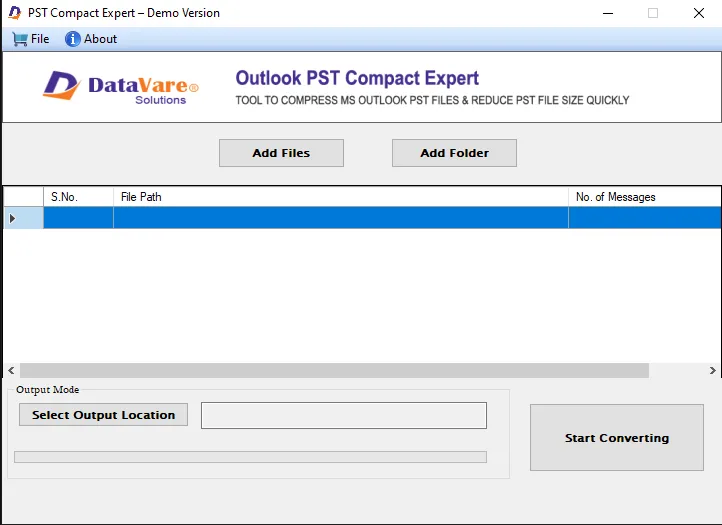
The Outlook compress tool provides desired results whenever you use it. It helps to compress those PST files that you find necessary. Browse local folders to locate specific PST files that you want to compress.
A PST file faces corruption issue when it is oversized. Instead of splitting PST files, you can compress them. A PST file may have many unwanted attachments, junk and unused space. During compressing PST files, you can remove attachments, junk and unused space. It is the best way to get rid of oversized PST file issue. PST File Compressor is an advance tool that compresses PST files of any size at fast speed.
The Outlook compress tool provides desired results whenever you use it. It helps to compress those PST files that you find necessary. Browse local folders to locate specific PST files that you want to compress.
Add folders holding multiple PST files or select more than one PST file one after one to compress them together. The bulk data compression facility saves time. It gives speed to PST resizing at the unexpected level.
In this option, the utility enables to compress a PST file by extracting attachments and save them separately. At the same time, it compresses the PST file by removing its unused space, junk space and cache.
In this feature the tool extract entire attachments of the targeted PST file so that the file size automatically shrinks. It doesn't save the attachments of the targeted PST file.
In this feature compress PST file without removing attachments. As you direct the tool to compress only PST file, it restores all the folders and attachments by removing unused, junk and cache space. Thus, the file size goes down to some extent.
The PST Compressor is a safe utility. It has been evaluated to provide quality results. The data is compressed without harming the file quality. All folders of the targeted PST file are restored without losing hierarchy. Email components are also restored.
Real feedback from satisfied customers worldwide
After trial of many PST compress apps I finalize your tool. There were many reasons for this. I was impressed with its simple look and multiple features. The ways you have provided to compress data are really excellent. I managed to compress data in my own style.
Using this Compact PST tool my organization has saved many PST files from corruption as we were dealing with oversized PST files issue for many days. it helped us a lot to overcome the corruption issue.
Tested the demo version and my all doubts related to the app were cleared in just a few minutes. Now I am using this app on my Windows 10. It works fine. The best part is that I don't have to wait to compress data. The process takes in the background without interrupting my computer speed.p>