EML to PST Converter Expert

Total Ratings: 4 - Average Rating: 4.3 out of 5
  • Design to run effortlessly on Windows 11/10/8/7/XP/Vista
  • Capable to export EML to PST in bulk
  • Create a large PST file by exporting EML in bunch
  • Enable to export those EML files picked by users
  • Save converted data locally
  • Cooperate to migrate EML created in any EML supportive email clients
  • Accurate migration with no data corruption
  • A fast performing tool, needs less technical assistance

Key Attractive Features of EML2PST

features

Export Only EML data to PST

The tool has been designed to export EML to PST only. Entire EML files can be exported regardless of their size and the email client used to create them. All Apple Mail, Thunderbird, WLM and many other EML supportive files can be exported to PST.
features

Export EML Data in Bulk

A number of EML files are exported at once by the app. The tool enables you to export one, two, three or more EML files all together. These converted files are saved into one PST folder to create one strong Outlook file. The data clutter problem can be solved here.

features

Convert Desirable Data Only

The wizard of the tool asks you to filter out the particular EML file that you wish to export at first. It is must to select the particular EML file to proceed for further migration steps. The feature helps to achieve desirable conversion results each time.

features

Create a New PST File or Save in Existed PST Folder

Users have options to save the resultants in either an existed folder or a newly created PST folder. They have found full flexibility to choose the save location. Thus, smart data management is supported. Users can easily identify the converted data.

features

Save Data Manually

Migrate EML to PST with less effort and then save the migrated data to a local folder! The utility allows you to manually select the file location. It could be saved to any drive, folder or sub-folder. An instant folder can be created to save the resultants.

features

Easy to Organize & Install

No technical expertise help is required to run the app. You can operate it confidently with single hands. Learning the app features may take you less than an hour. Each tab it features is self-expressive.

Frequently Asked Questions

It doesn't matter which email client you are using to save data on EML format. The tool scans EML files for conversion.

Yes, the lighter the file size the shorter time is taken by the software.

It cannot be exported. Only healthy EML databases can be exported.

The limit is decided by you. Take precautions to export in limit so that oversized PST file doesn't come.

Software Specifications

System Requirements

Processor Any Pentium Class
Operating System Windows 11, 10, 8.1, 8, 7 & Other
Memory 512 MB Minimum
Hard Disk 100 MB of free space for software installation

Software Delivery

Electronic Via Email
Minutes 15

Interface Available

Language Supported English
Support Option Emails, Chat & Skype

Software Screenshots

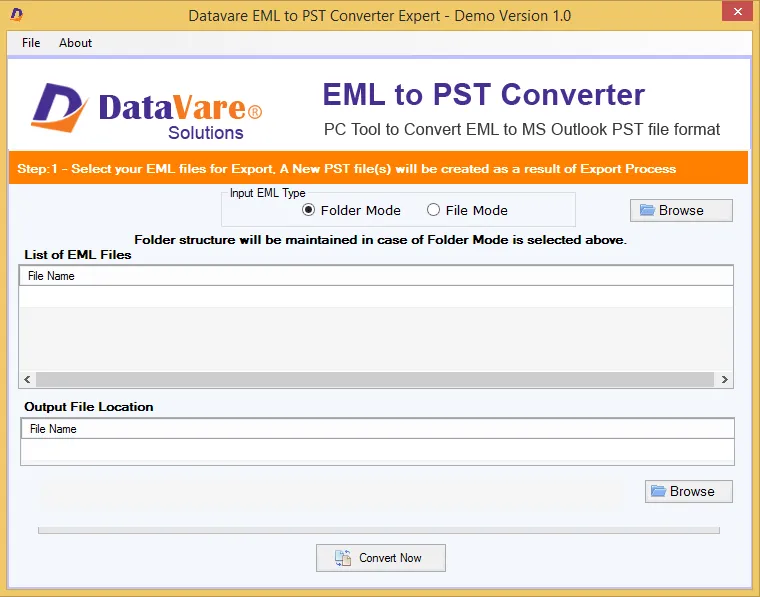
Address Book Converter Expert software interface screenshot showing conversion process
EML to PST Converter Expert Interface

What Our Clients Say

Real feedback from satisfied customers worldwide

Working in an admin department is so challenging. Recently I was charged with the responsibility of data conversion from EML to PST. It is all thank to you for providing this cleverly designed app. Migration was achieved with less hard work.