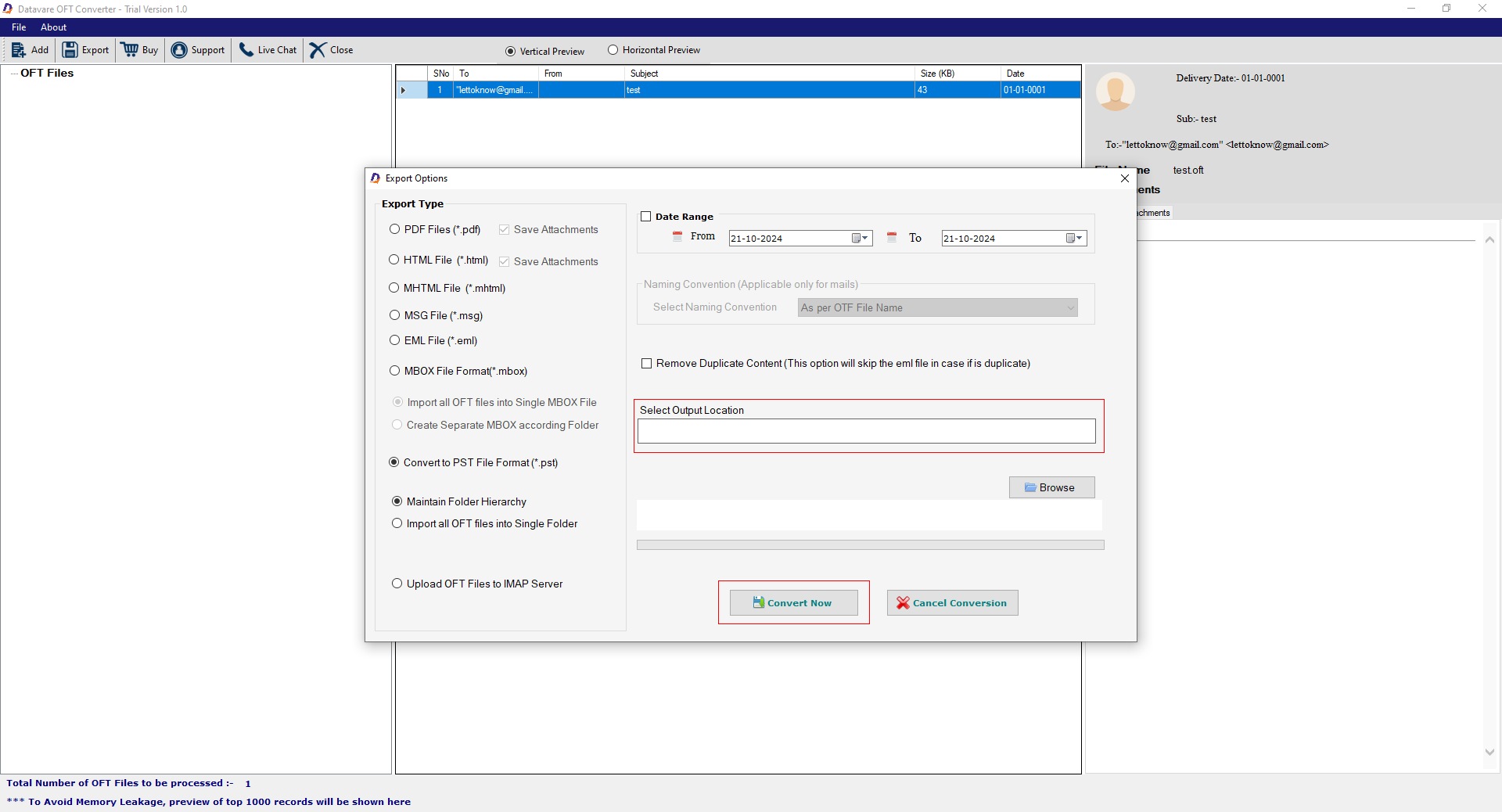
Select the Target OFT Files
- • In the first step, select either “File” or “Folder” mode and then the “Browse” button to upload locally saved OFT files.
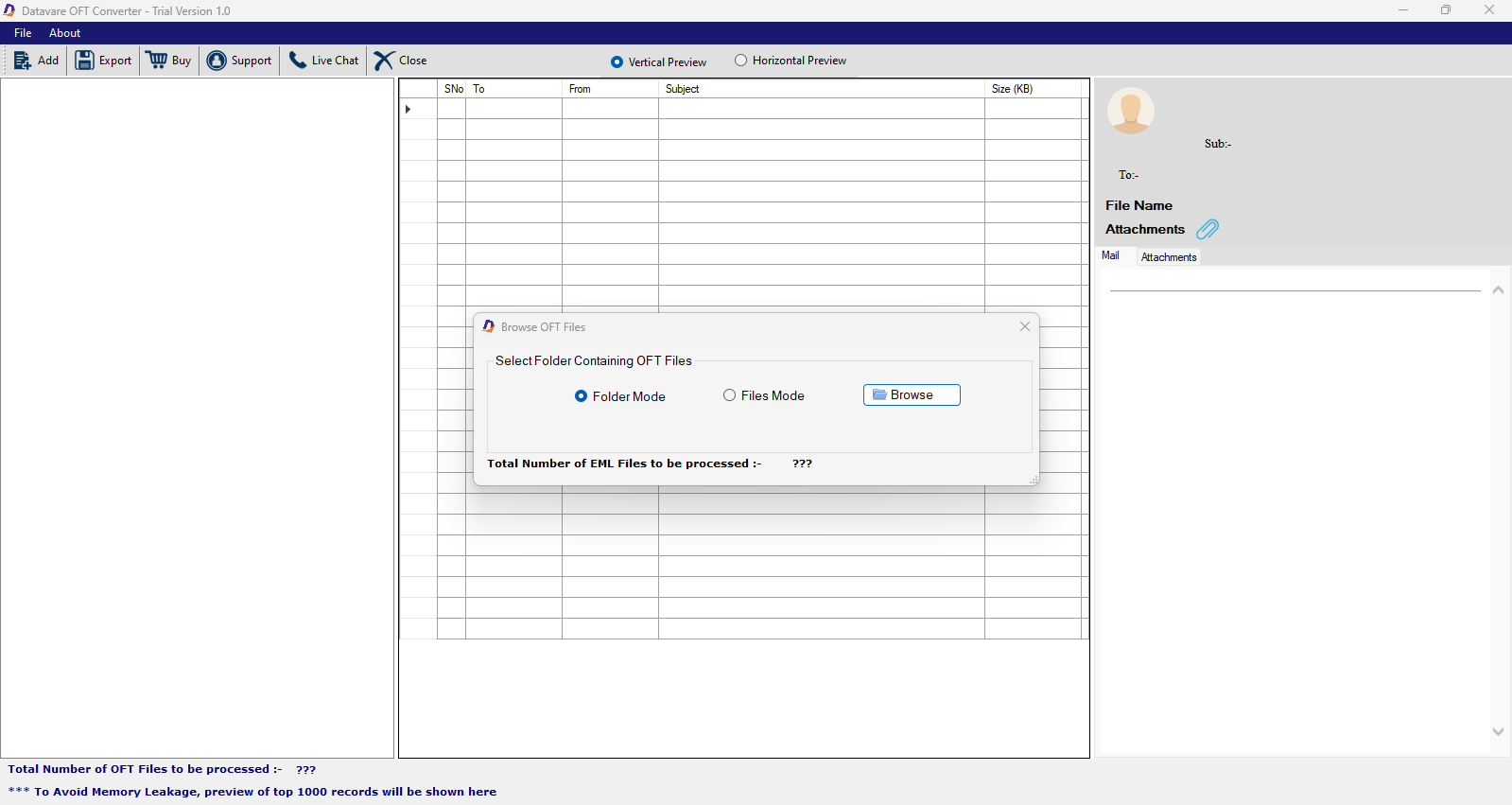

Get a Preview of Uploaded Data
- In the preview pane, the tool displays data of selected OFT files horizontally and vertically
- Get a preview of each item of OFT files if you wish.
- Chick “Horizontal” or “Vertical” preview
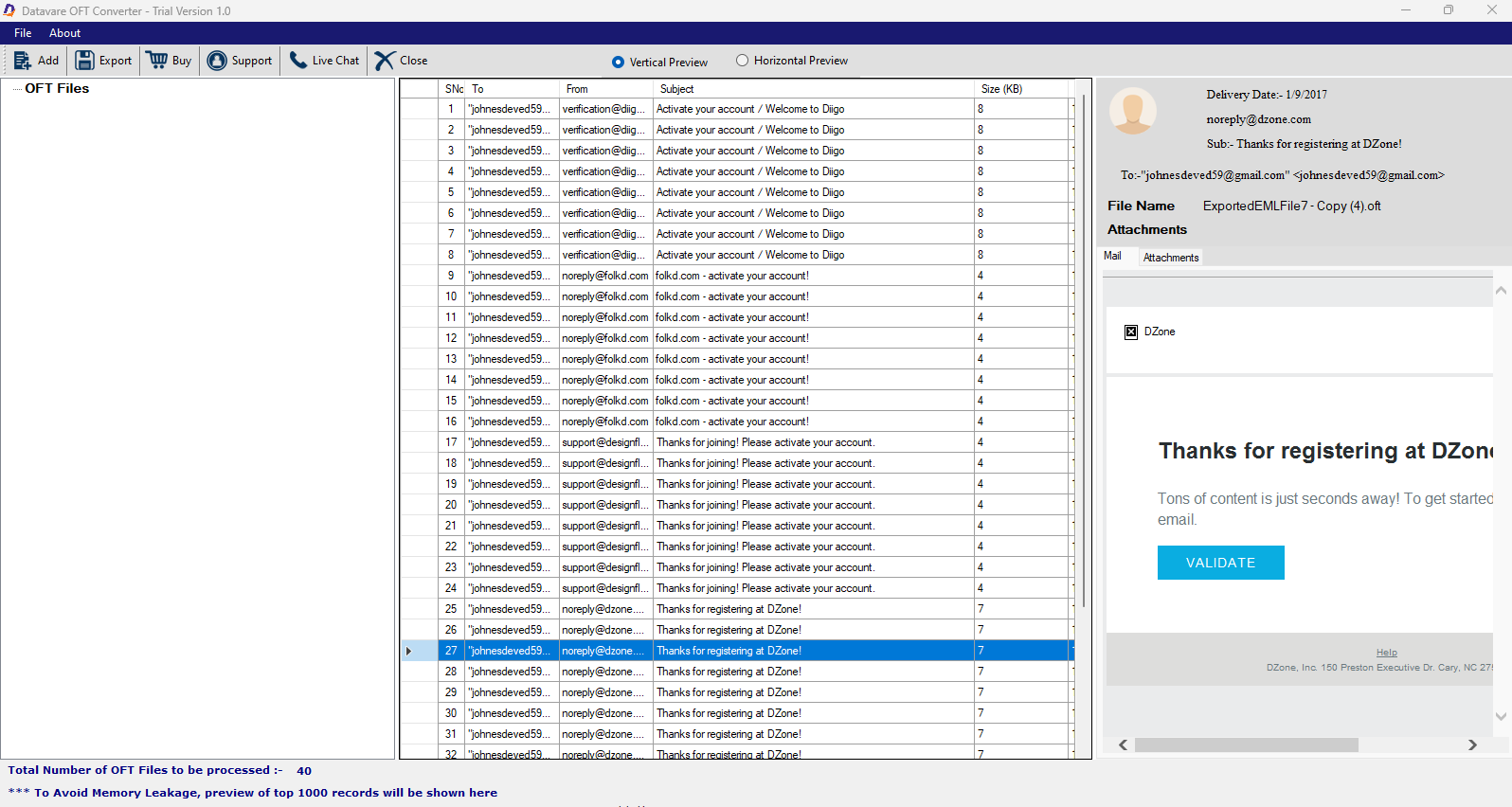
Convert to PST
- Click “Export” in the menu bar.
- Now, select “Convert to PST file format”
- Click the radio button of “Maintain folder hierarchy”
- Check the radio button of “Import All OFT files in a single folder” (optional)
- Now, select the date range (optional)
- In the Naming Convention box, click “arrow” to choose a unique name format
- After this, check “Remove Duplicate Content” (optional feature)
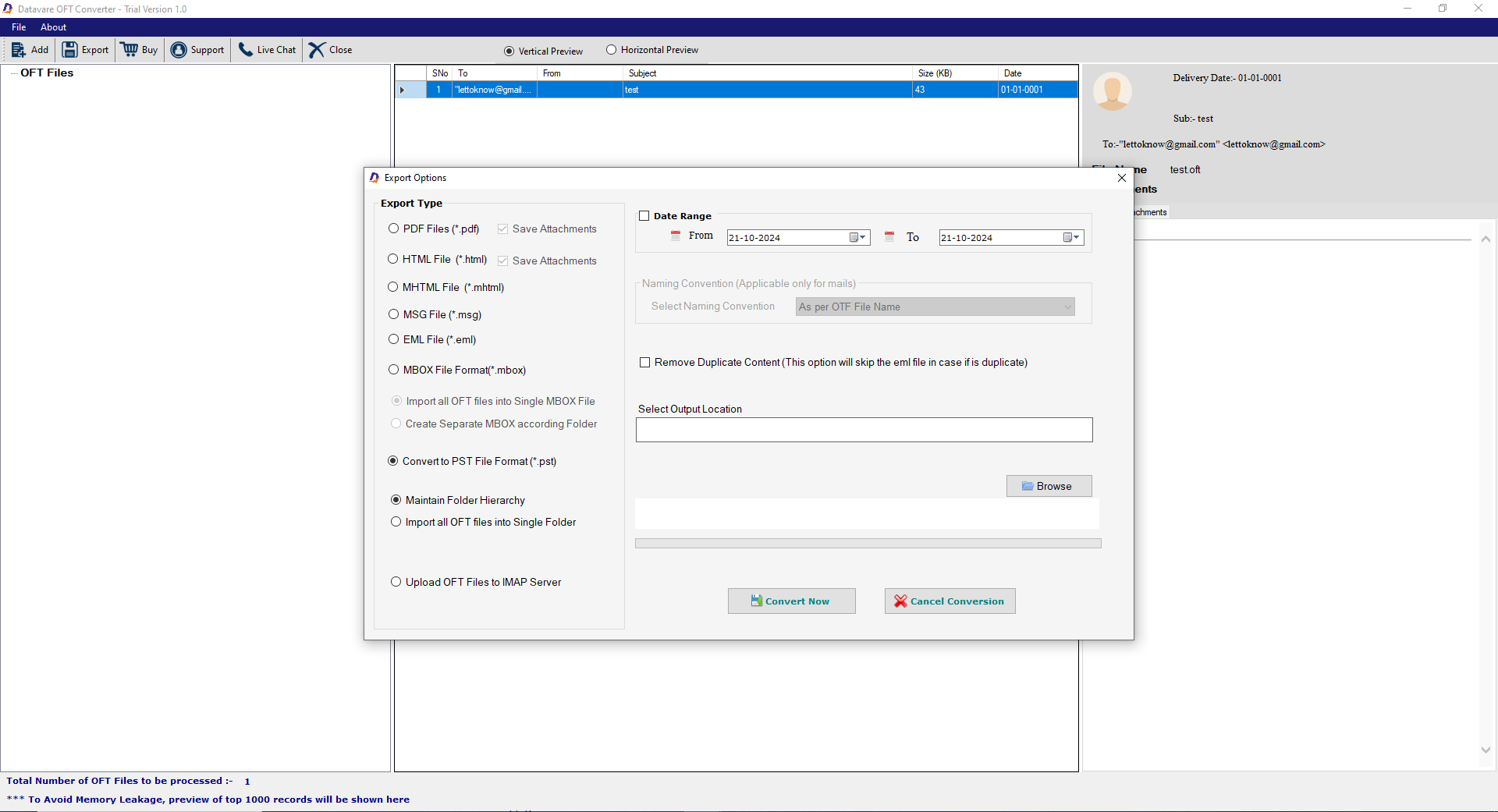
Final Steps
- Press “Browse” to direct the app destination of the exported OFT files
- Finally, press “Convert Now” button to end the process.