
Select the Desired OFT Files
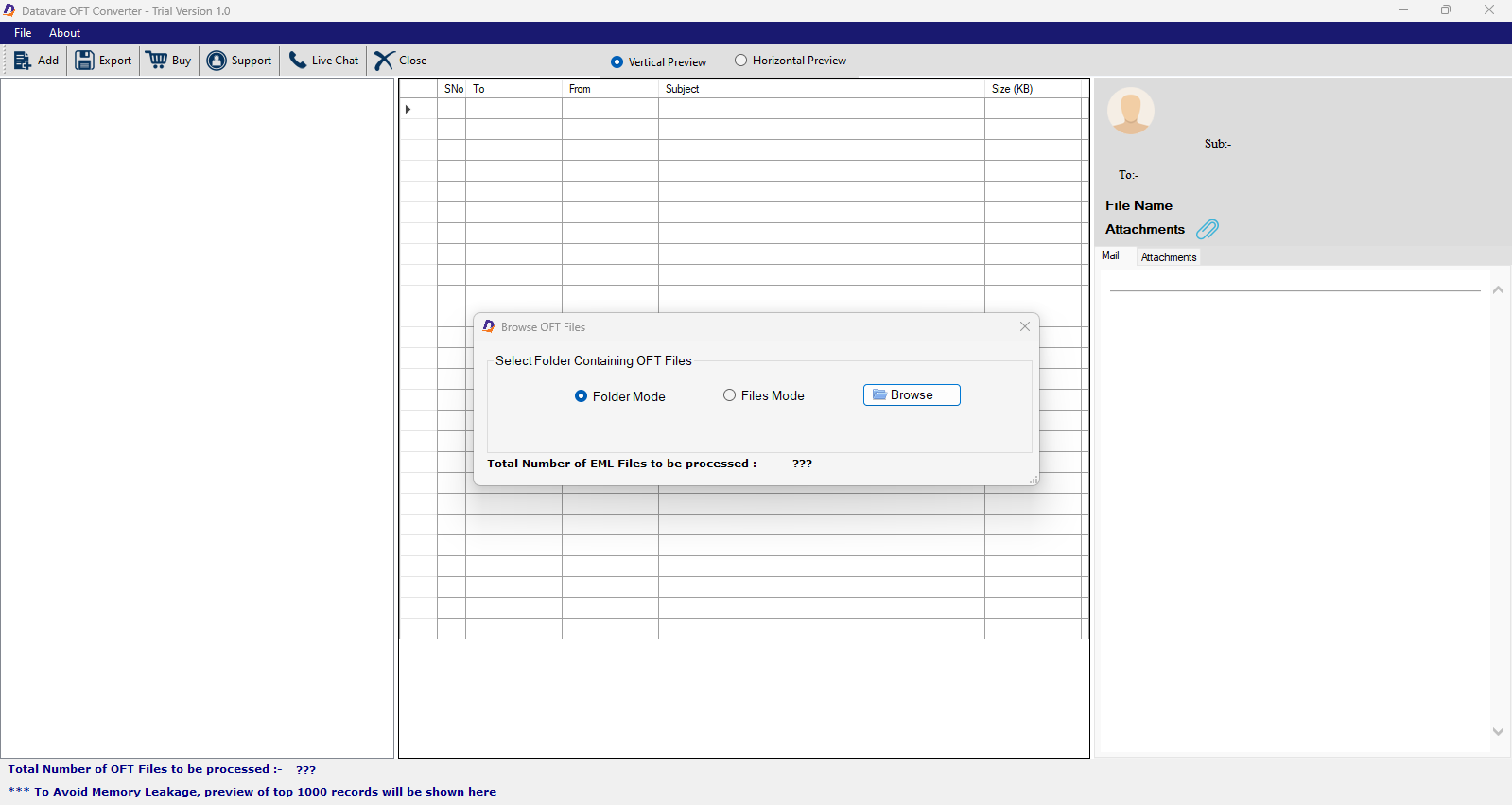
- In the initial phase, click “File or Folder” tab to filter specific OFT files or a folder holding specific OFT files.
- Now, press “Browse” to go to the local folders to upload the desired OFT files.

Get a Preview of Uploaded Data
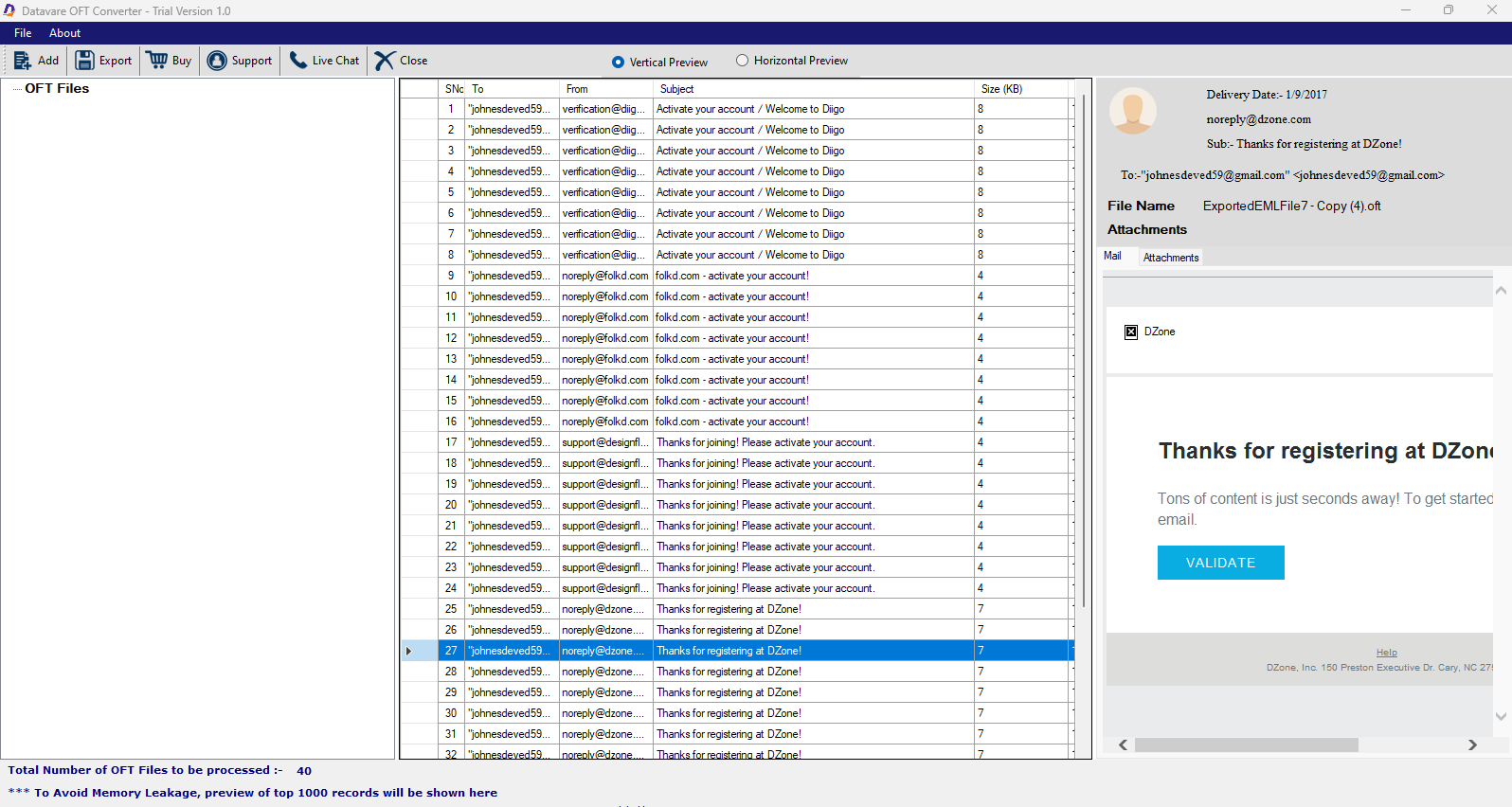
- Preview the uploaded OFT files in its preview pane.
- If you have selected multiple OFT files, choose a specific file and view their items with details of each item.
- Click on the “Horizontal” or “Vertical” button to view data.
Convert to Office 365
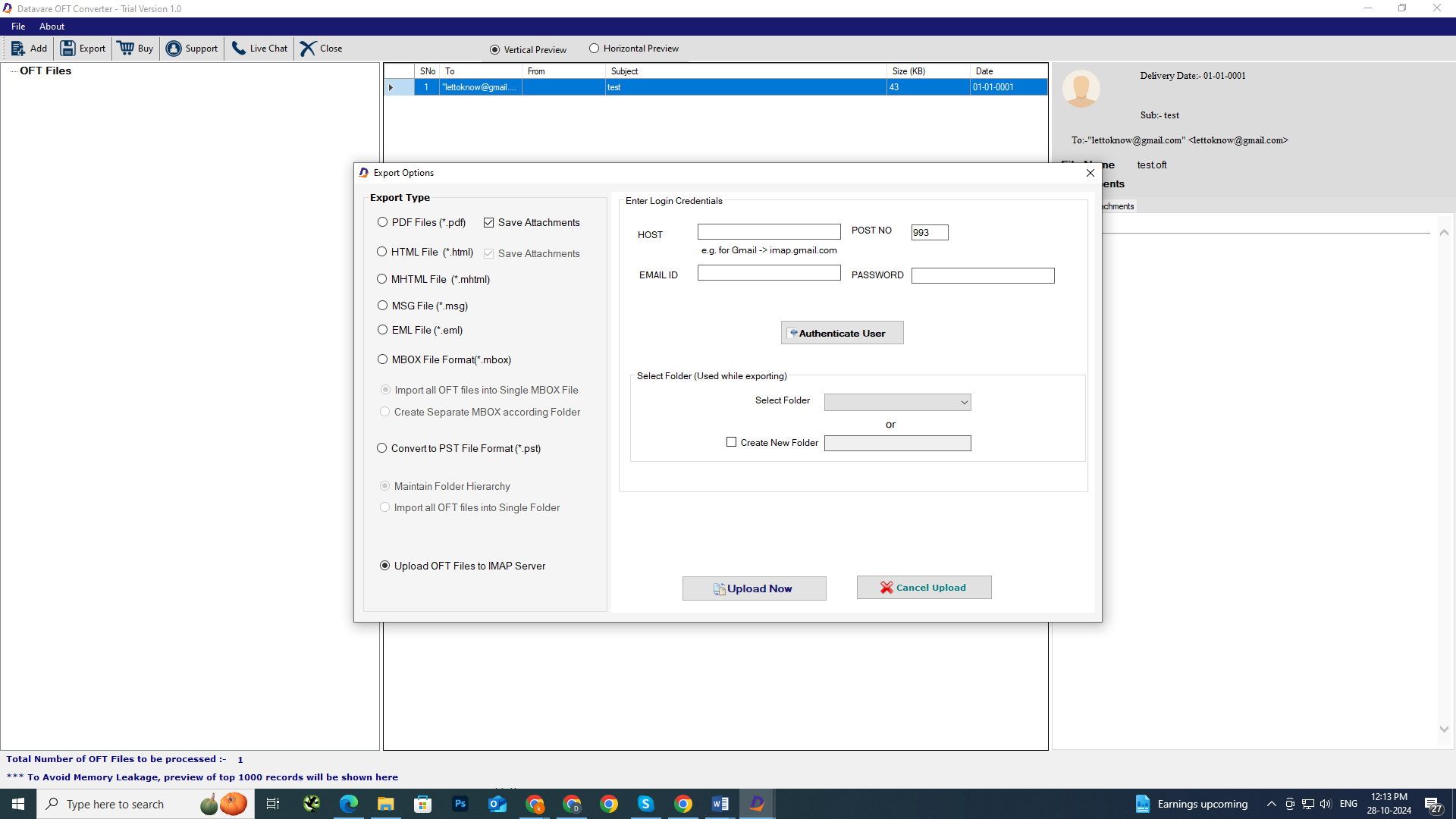
- Click “Export” tab in the menu and choose “Convert OFT to IMAP Server”
- A new window will open, provide credentials of your Office 365 account and press “Authenticate Me” button
- Choose a folder of the Office 365 account or create a custom folder in the account by clicking “New” and then enter a unique name.
Final Steps
- Finally, press “Convert Now” button to end the process.