
Select the Desired OFT Files
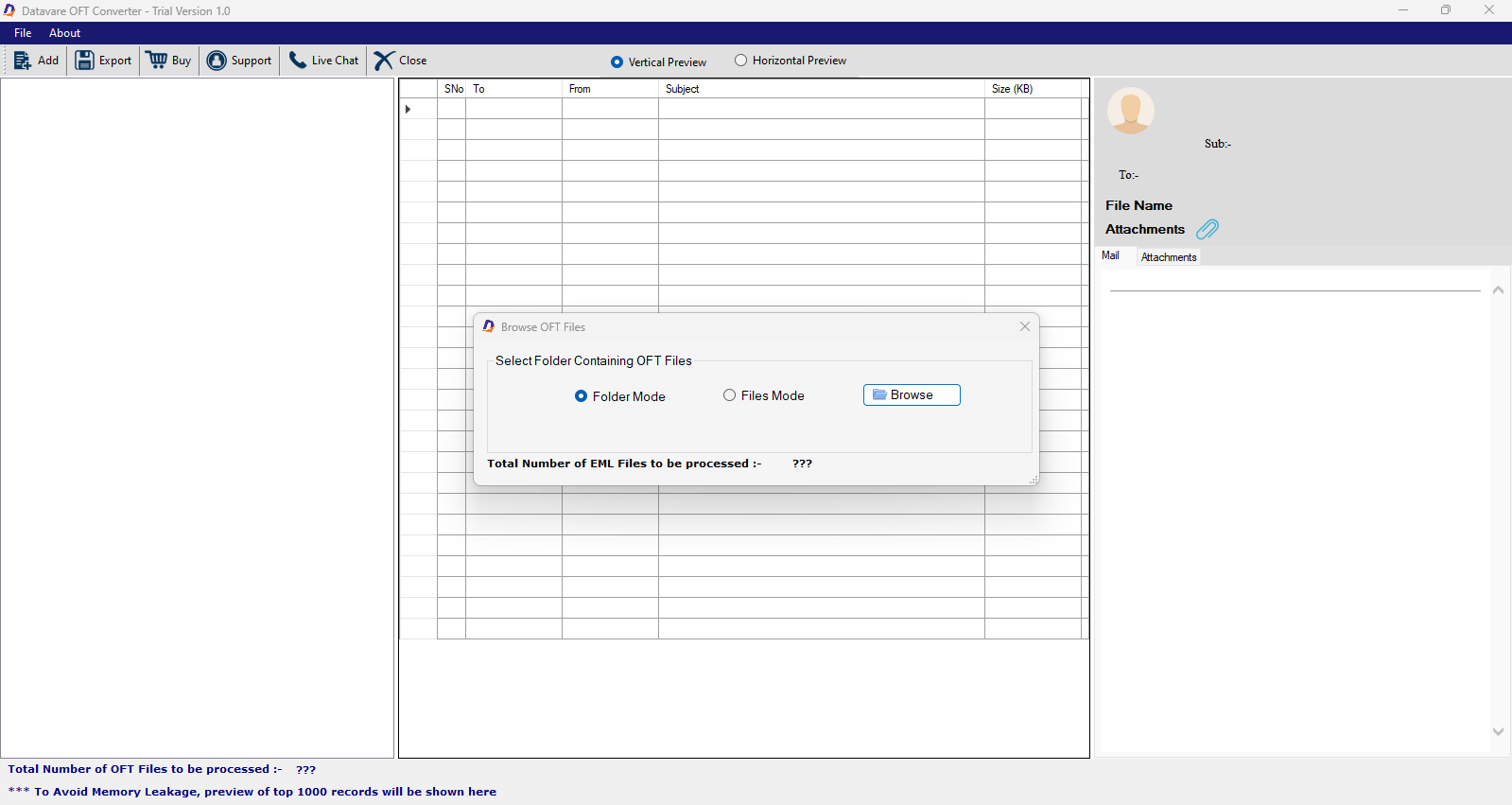
- In the first step, select the radio button “File Mode” or “Folder Mode” to filter the desired OFT files.
- Now, click “Browse” to locate and upload the desired OFT files from local folders.

Generate a Preview
- The tool displays preview of OFT files. Items in tabular format and preview of each item separately.
- Click on the “Horizontal Preview” or “Vertical Preview” button.

Export to EML
- Click “Export” and select “EML file format”
- Now, choose the date range (optional feature)
- Give a unique name to the exported data through naming convention box.
- Now, check “Remove Duplicate Content”

Final Steps
- Click “Browse” and direct the tool for a location in the system, it can be any folder of your choice.
- Finally, press “Convert Now”
